WolfSuite Workspace · Review workflow
Review AI edits to Office files before saving
Review an agent’s proposed changes to a Word document, Excel workbook or PowerPoint deck in Wolf Workspace before saving a new revision.
From proposal to saved revision
The review happens before the file changes. Tracked changes in Word are written into the document; a proposal stays beside the shared file until a person approves it.
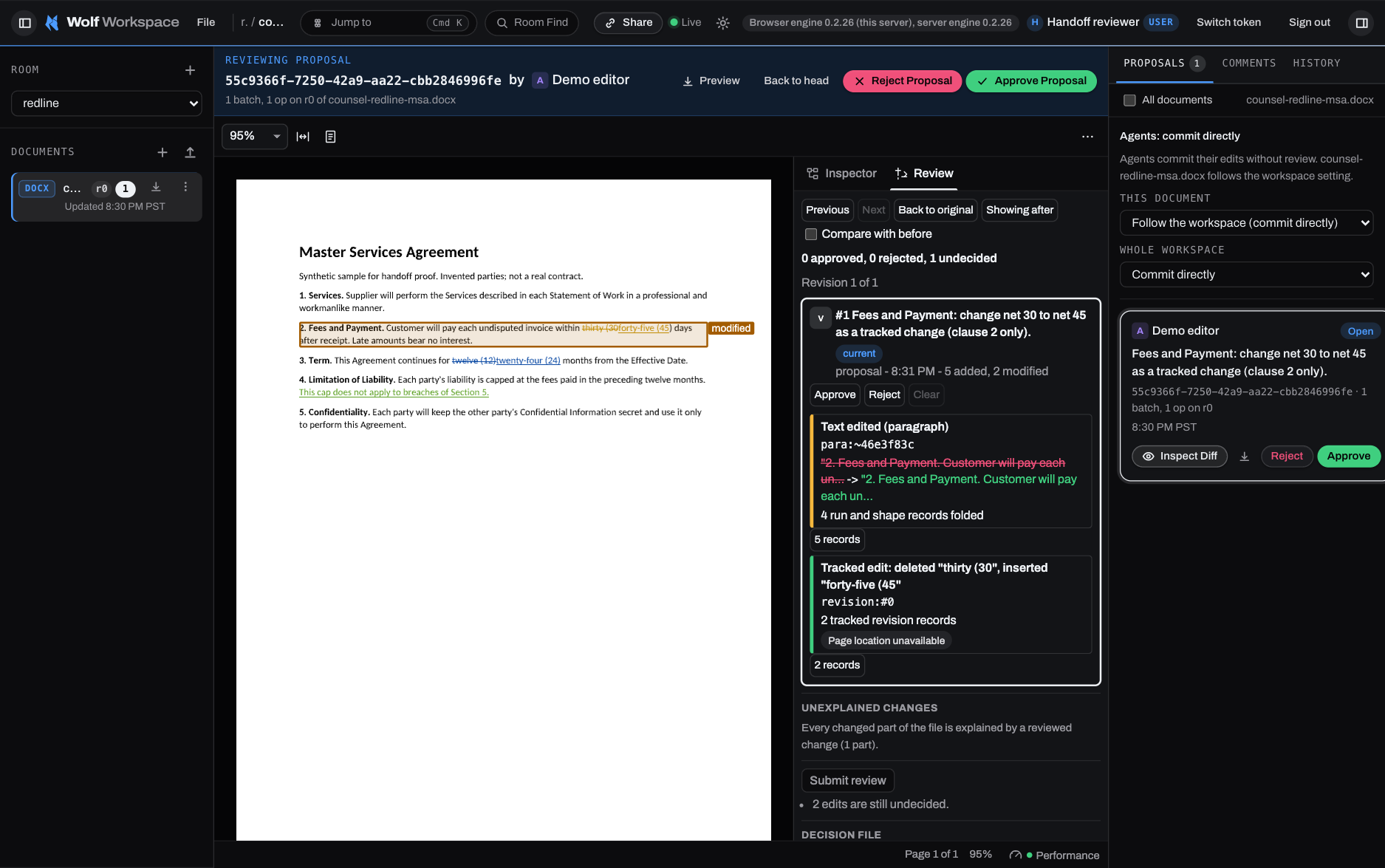
- Ask for a proposal. For example, ask your agent to shorten a paragraph in a Word document. In proposal mode the agent submits the change against the revision it read. The shared file still contains the original paragraph.
- Open the proposal in the room. Inspect the change in the review panel. For the paragraph edit, compare the wording and check that the shorter version keeps the original meaning.
- Approve or reject it. Approve to save the reviewed result as a new revision in the room. Reject to close the proposal and keep the current file unchanged.
Why inspect the file after a small edit?
Changing one cell can affect parts of a workbook outside that cell. Two studies looked at different consequences:
Review a proposal in your own room
Start a 14-day free trial in WolfSuite Cloud, or read the full WolfSuite Workspace overview. For now, paid subscriptions require a United States billing address.